

Server-driven UI for Flutter. Design screens in the Codelessly Editor, publish, and show them in your app with one widget. The SDK renders a published layout natively, straight into Flutter render objects, and runs it: variables, conditions, actions, navigation, data, APIs and scripts. A new publish reaches running apps without an app release.
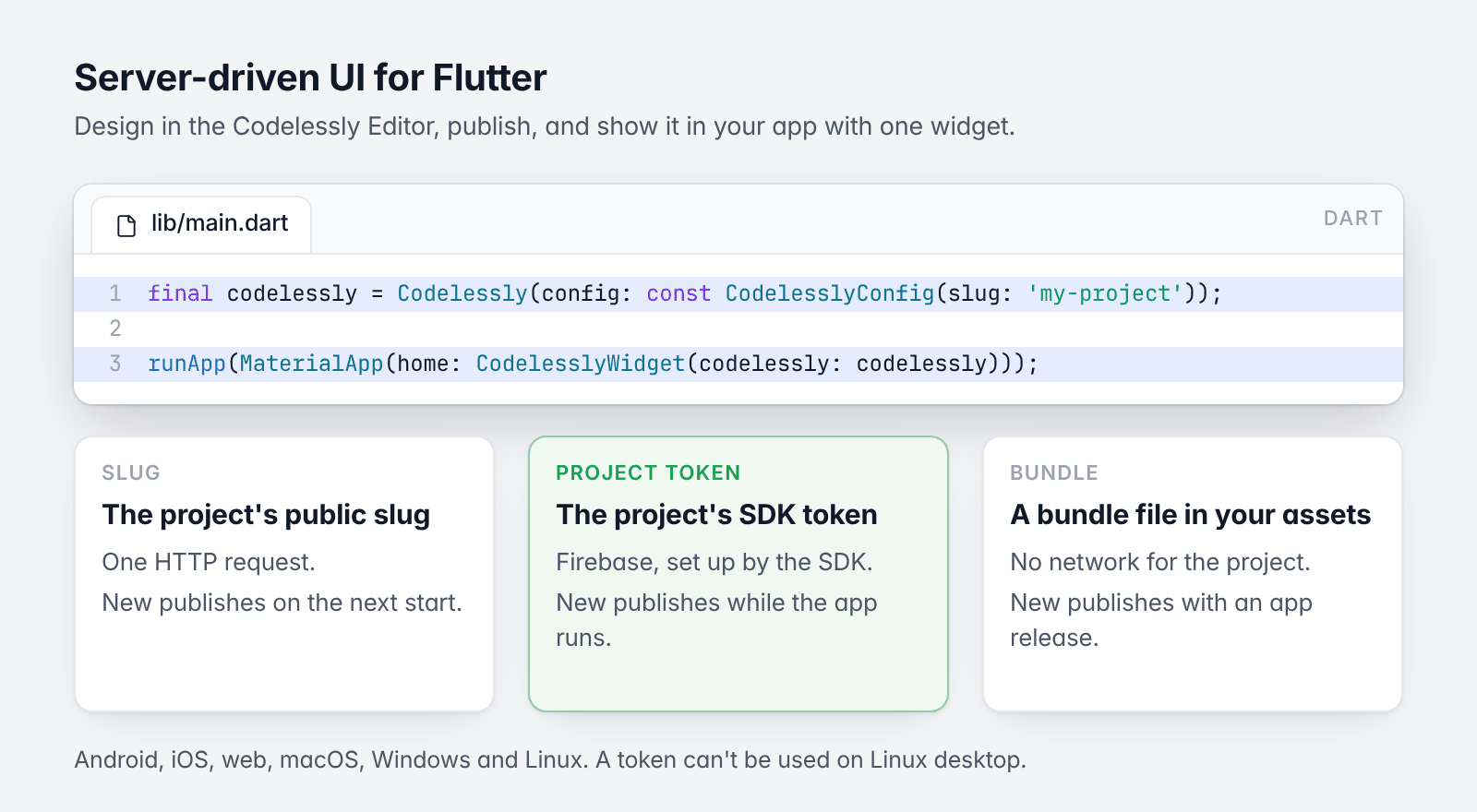
One widget, three ways to load a project.
final codelessly = Codelessly(config: const CodelesslyConfig(slug: 'my-project'));

runApp(MaterialApp(home: CodelesslyWidget(codelessly: codelessly)));- Install
- Quickstart: by slug, by project token, or offline
CodelesslyWidgetessentials- Developer guide
flutter pub add codelessly_sdkRequires Dart 3.12 and Flutter 3.35 or newer. Runs on Android, iOS, web, macOS, Windows and Linux.
import 'package:codelessly_sdk/codelessly_sdk.dart';A Codelessly is one published project. A CodelesslyWidget shows one of its screens. Pick how the project loads:
| You need | Network | Live updates | |
|---|---|---|---|
| Slug | The project's public slug | One HTTP request | On the next start |
| Project token | The project's SDK token | Firebase (set up by the SDK) | While the app runs |
| Bundle | A bundle file in your assets | None for the project | With an app release |
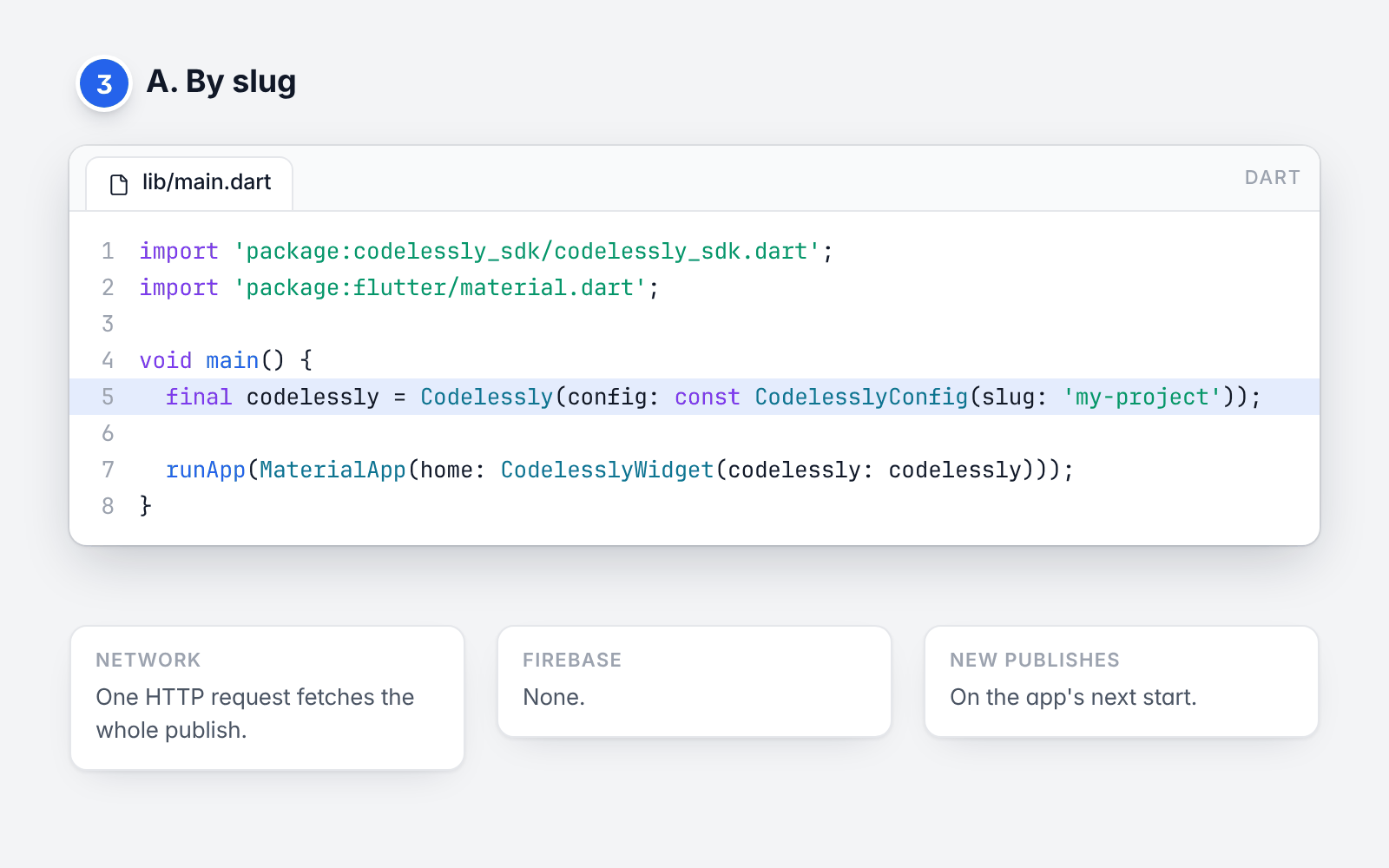
Load by slug.
A project with a public slug (the name in site.codelessly.com/<slug>) publishes one bundle file. The SDK fetches
it over HTTP; there is nothing else to set up.
import 'package:codelessly_sdk/codelessly_sdk.dart';
import 'package:flutter/material.dart';

void main() {
  final codelessly = Codelessly(config: const CodelesslyConfig(slug: 'my-project'));

  runApp(MaterialApp(home: CodelesslyWidget(codelessly: codelessly)));
}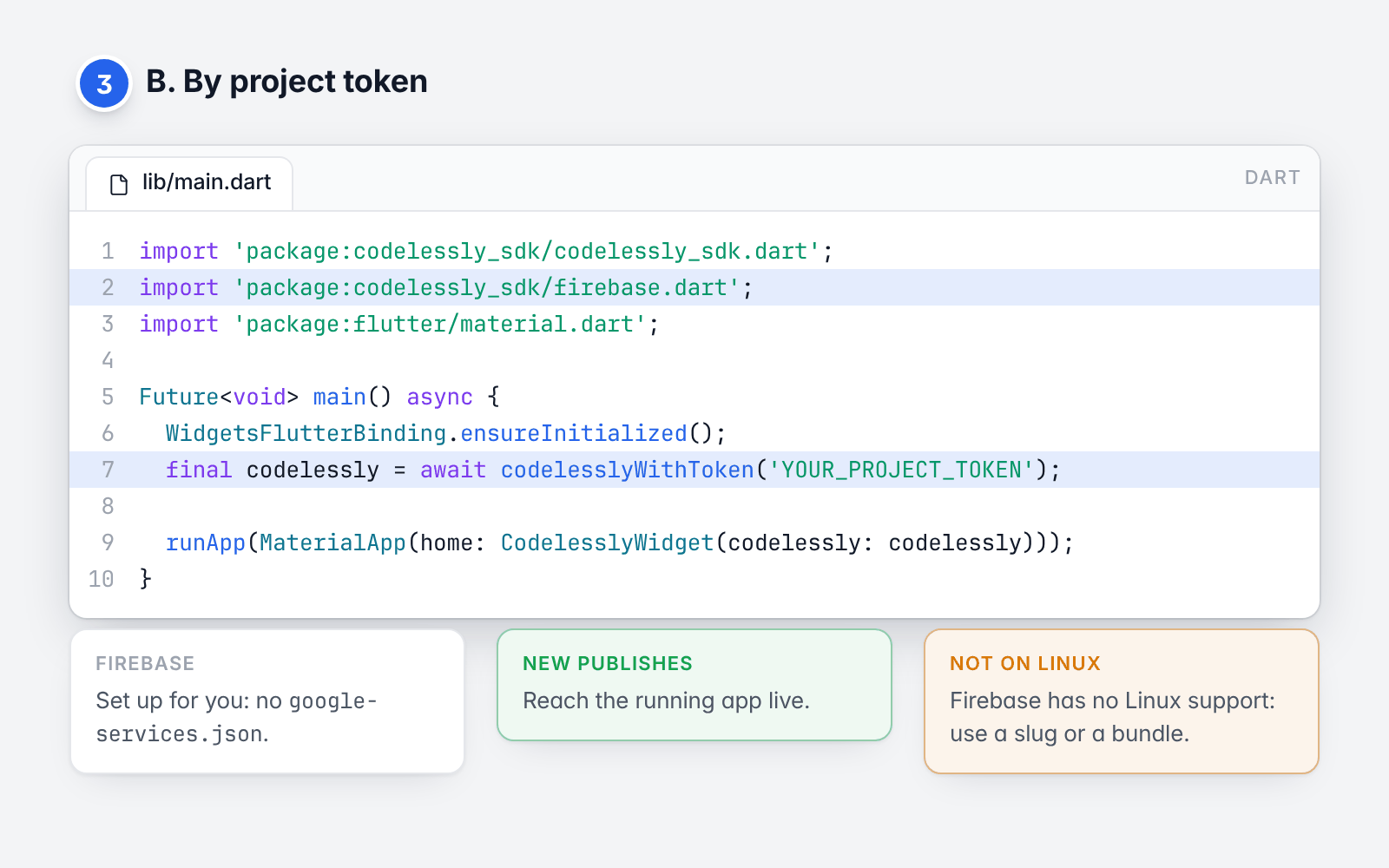
Load by project token.
A project's SDK token gives an app access to its publish in Codelessly's backend. Each new publish reaches the
running app. The token is all you need: codelesslyWithToken opens Codelessly's Firebase project as a secondary
Firebase app, in Dart. No google-services.json, no flutterfire configure, and your own Firebase project (if you
have one) is not touched.
import 'package:codelessly_sdk/codelessly_sdk.dart';
import 'package:codelessly_sdk/firebase.dart';
import 'package:flutter/material.dart';

Future<void> main() async {
  WidgetsFlutterBinding.ensureInitialized();
  final codelessly = await codelesslyWithToken('YOUR_PROJECT_TOKEN');

  runApp(MaterialApp(home: CodelesslyWidget(codelessly: codelessly)));
}
Firebase has no Linux support, so a token can't be used on Linux desktop: load by slug or from a bundle there.
If the project uses Codelessly cloud data, accounts or file uploads, pass cloudServices: true
(Cloud data and services).
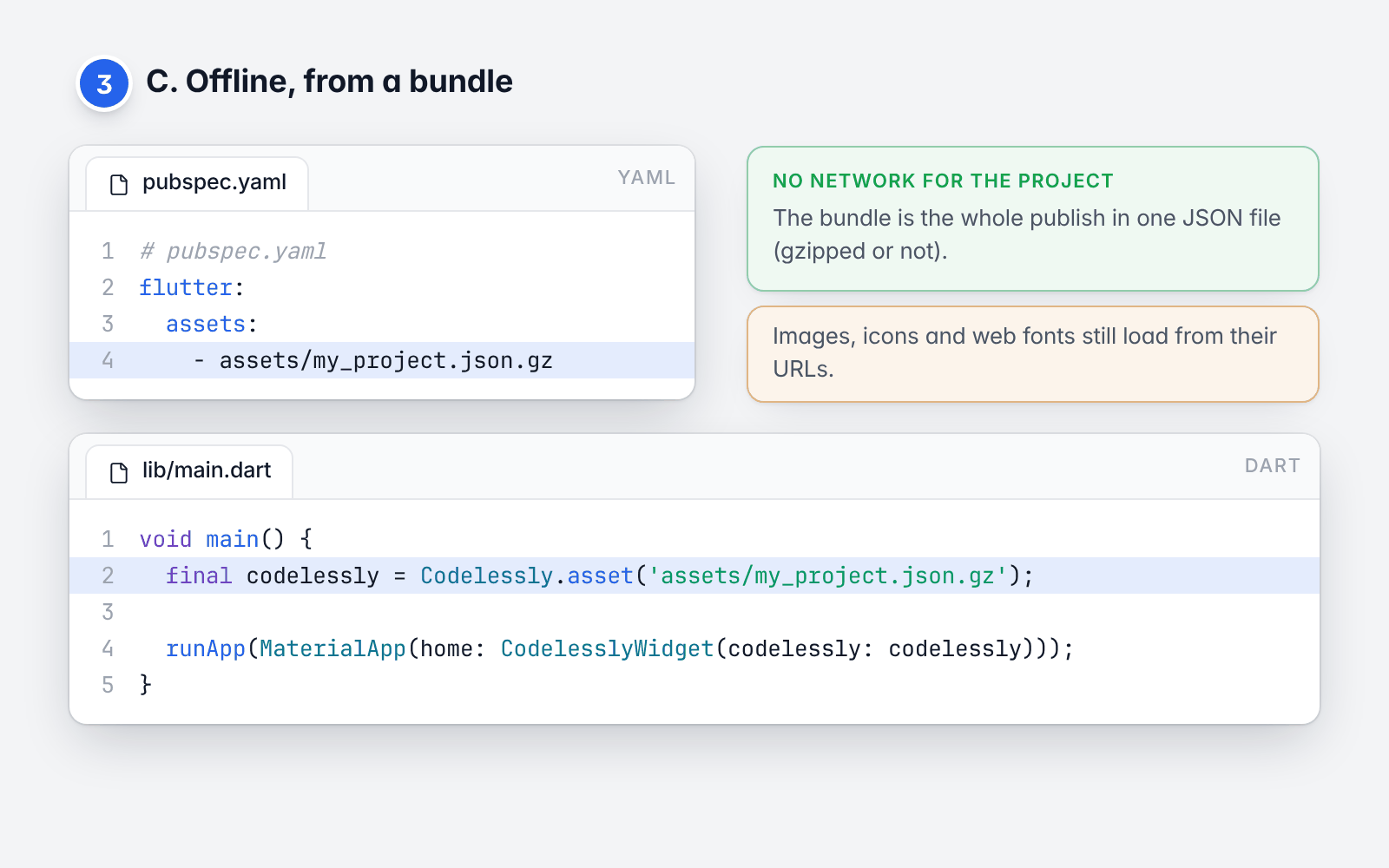
Load a bundle offline.
A bundle is a publish in one JSON file (gzipped or not). Ship it as an asset and the project loads with no network.
# pubspec.yaml
flutter:
  assets:
    - assets/my_project.json.gz
void main() {
final codelessly = Codelessly.asset('assets/my_project.json.gz');
runApp(MaterialApp(home: CodelesslyWidget(codelessly: codelessly)));
}A bundle already in memory works the same way: Codelessly.fromBundle(PublishBundle.fromJson(json)).
Loading modes and caching
says where a bundle file comes from.
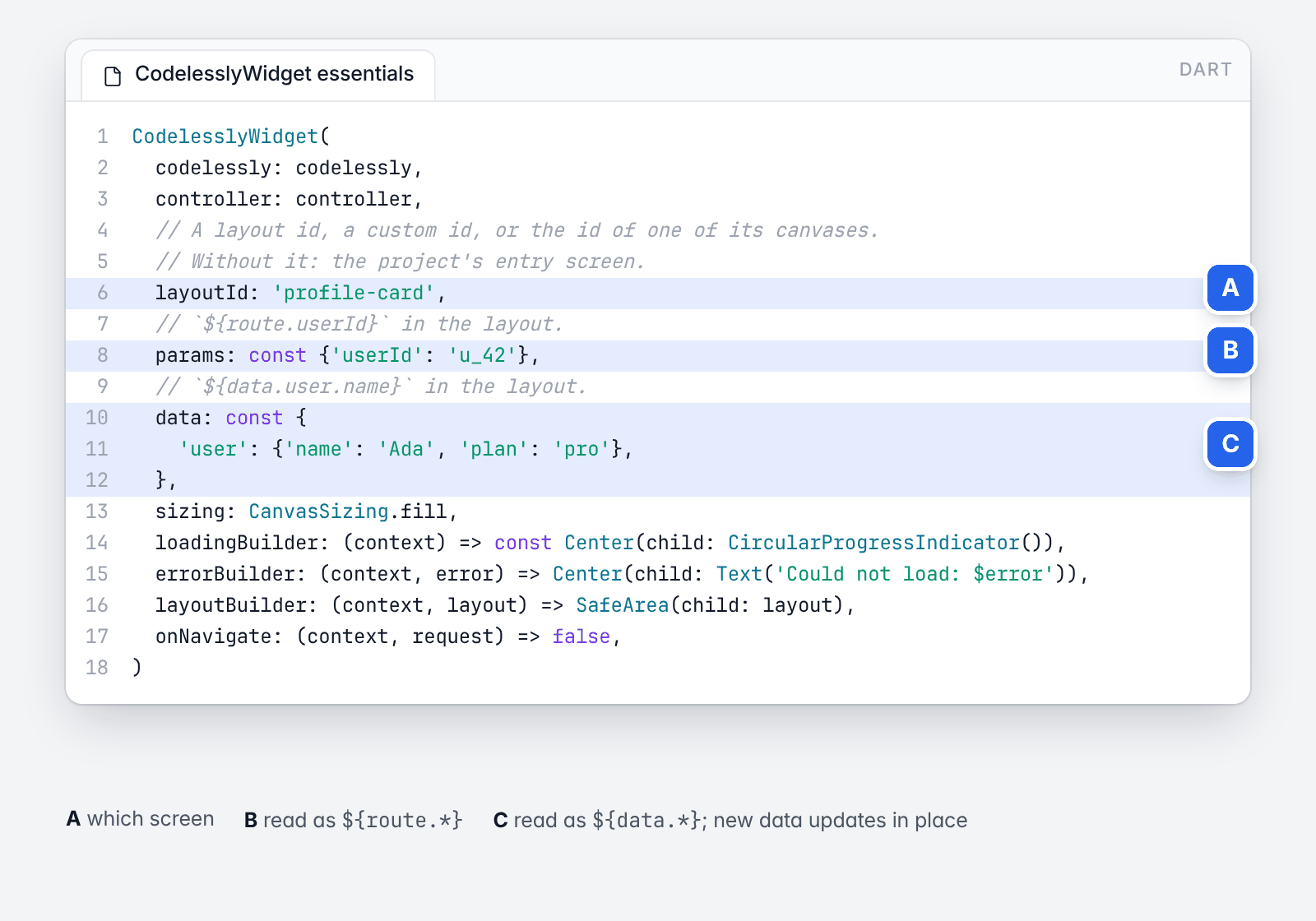
The essentials, annotated.
CodelesslyWidget(
  codelessly: codelessly,
  controller: controller,
  // A layout id, a custom id, or the id of one of its canvases.
  // Without it: the project's entry screen.
  layoutId: 'profile-card',
  // `${route.userId}` in the layout.
  params: const {'userId': 'u_42'},
  // `${data.user.name}` in the layout.
  data: const {
    'user': {'name': 'Ada', 'plan': 'pro'},
  },
  sizing: CanvasSizing.fill,
  loadingBuilder: (context) => const Center(child: CircularProgressIndicator()),
  errorBuilder: (context, error) => Center(child: Text('Could not load: $error')),
  layoutBuilder: (context, layout) => SafeArea(child: layout),
  onNavigate: (context, request) => false,
)
Which screen. layoutId names a layout by its id, its custom id, or the id of one of its canvases. A layout
can hold one canvas per breakpoint (mobile, tablet, desktop); the widget shows the one for the width it is given.
canvasId forces one. With no layoutId, initialScreen opens a screen by its URL path ('/guide/42'), id or
name ('record-form' opens "Record form"); with neither, the project's entry screen shows.
Which project. Pass codelessly, or put a CodelesslyScope(codelessly: ..., child: ...) above the widgets, or
call Codelessly.setDefault(codelessly) once.
Data. data is read in the layout as ${data.<key>}. Rebuild the widget with new data and the layout updates
in place. Codelessly(data: ...) and codelessly.setData(key, value) set data for every screen. params are read
as ${route.<name>}.
Sizing. CanvasSizing.fill (the default) makes the canvas fill the space it is given: use it for screens.
CanvasSizing.design keeps the canvas's design size (a card, a dialog). CanvasSizing.fillWidth fills the width
and keeps the design height (a sheet). In a scroll view, where the height is unbounded, a canvas takes its own
height.
Loading and errors. loadingBuilder and errorBuilder replace the default spinner and error text.
layoutBuilder wraps the loaded layout.
Functions. A "call function" action calls a function of your app, by name:
final codelessly = Codelessly(
  config: CodelesslyConfig(
    slug: 'my-project',
    functions: {
      'addToCart': (context, params) async {
        final id = params['productId'] as String?;
        debugPrint('add $id to the cart');
        // Change a variable of the screen that called.
        context.setVariable('cartCount', 3);
        // The result is `${result}` for the next action of the chain.
        return {'ok': true};
      },
    },
  ),
);
Navigation. Navigation actions push the project's screens on the nearest Navigator. A project that is the
whole app gives its screens to MaterialApp, so each has its URL path:
MaterialApp(onGenerateRoute: CodelesslyWidget.onGenerateRoute(codelessly))To route some destinations yourself, return true from onNavigate:
CodelesslyWidget(
  codelessly: codelessly,
  layoutId: 'home',
  onNavigate: (context, request) {
    if (request.type == NavigationType.push && request.destinationId == 'settings') {
      Navigator.of(context).pushNamed('/settings', arguments: request.params);
      return true; // Handled: the SDK does nothing more.
    }
    return false; // The SDK navigates.
  },
)
Controller. A CodelesslyWidgetController reads and changes the shown screen from outside:
final controller = CodelesslyWidgetController(layoutId: 'cart');

controller.read('count');                 // a variable, `route.id`, `data.user.name`
controller.setVariable('count', 0);
controller.trigger('checkout-button', 'click');
controller.layoutId = 'checkout'; // show another layoutThe developer guide covers each topic with working code:
| Introduction and concepts | Editor, publish, SDK; the model and the renderer |
| Quickstart | Five minutes to a running screen |
| Embedding and sizing | Layout ids, canvases, sizing, builders, the controller |
| Loading modes and caching | Slug, token, bundles, self-hosting, offline |
| Data and variables | data, route, storage, screen and app variables |
| Actions and functions | Triggers, the action list, your functions |
| Navigation | Routes, deep links, onNavigate |
| Conditions and breakpoints | Conditions, ${screen}, responsive canvases |
| Cloud data and services | Firebase, auth, APIs, storage, analytics |
| Scripting | JavaScript in a sandbox; the QuickJS engine |
| Theming and fonts | Project theme, host theme, fonts, text scale |
| Custom widgets | Your widgets inside a layout; your own services |
| Publishing and environments | Publish, preview, templates, app identity |
| Testing | Widget tests without a network |
| Troubleshooting and FAQ | Errors and what they mean |
The example app runs offline and shows an embedded layout with data, a function and a controller, and a whole project as an app.
| Import | What |
|---|---|
package:codelessly_sdk/codelessly_sdk.dart |
Codelessly, CodelesslyWidget, loaders, services. Never imports Firebase. |
package:codelessly_sdk/firebase.dart |
codelesslyWithToken, and Codelessly's services on Firebase (publish, accounts, cloud data, files, paywalls). |
package:codelessly_sdk/store.dart |
In-app purchases through the App Store and Google Play. |
Scripts need an engine on devices: add
codelessly_quickjs to apps whose projects use scripts. The data
model is its own package, codelessly_api.
BSD 3-Clause. See LICENSE.
Configure Services.paywalls with your PaywallRuntime, trusted backend and
store-adapter factory. A published action opens a placement from any screen:
{"type":"paywall","operation":"openPaywall","placement":"onboarding"}CodelesslyWidget resolves the placement, loads its store products and layout,
and presents a route whose native actions share one PaywallSession. Supply
paywallAppVersion for server targeting. Missing configuration/products fail
before selling controls open; onActionError lets the host show its recovery UI.
The session and its owned adapter are disposed when the route closes or the
account changes. A custom host can use PaywallRuntime.open(present: ...).
Bindings read products.annual.price, products.monthly.price, the selected
product, purchase progress in paywall, and live verified entitlements.
Prices come from the store. Purchase/restore actions wait for a verified
per-attempt outcome; cancellation and restore-nothing stop the success chain.
openPaywall returns result.outcome (purchased, restored, closed) and
result.entitlementId to its originating chain. A UI must check that outcome
before displaying paid-access success. Account/profile bindings read live
auth; do not declare app variables with service namespace names.